Utah's Online Public Library
Patrons have access to a wide variety of resources courtesy of the state library. To explore what is available to you, visit onlinelibrary.utah.gov.
For students K-12, Utah’s Online Library also offers many resources. To access this content from home, visit onlinelibrary.uen.org.
The login information is as follows:
Login: online
Password: discover
Libby, by OverDrive
GETTING STARTED
Install the free Libby app from your device’s app store.
In Libby, follow the prompts to find your library and sign in with a valid library card.
Your library is: Duchesne County Library (If you have a Uintah County Library card, select Uintah County Library instead).
Your card number is located on the back of your library card. Enter it without spaces.
CIRCULATION BASICS
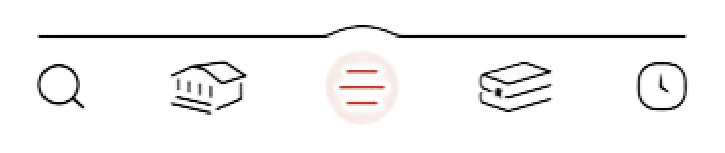
Along the bottom of your screen there are 5 icons to help you navigate the app:
If the library does not have a title you're looking for, you can do a deep search by selecting the filter button

and scrolling down to select Deep Search.
This will bring up titles that the library does not own. Once you find the title you're looking for, tap Notify Me so you'll know if we acquire a copy.
Note: Requesting a deep search will not guarantee that title will be purchased. Purchases are decided based on high demand.
To check out an item, simply tap Borrow.
To place an item on hold, tap Place Hold. Libby will send you an email letting you know when it's available. Once you've been notified that your hold is available, you have 3 days to either Borrow, Suspend, or Cancel the hold. If no action is taken, your hold will be suspended.
From your shelf, you can select Manage Loan to view different actions, such as Read with to send a book to Kindle, renew, and return your loan.
hoopla Digital
GETTING STARTED
Install the free hoopla app from your device’s app store or visit hoopladigital.com.
You will need to create an account with hoopla. Enter your email address and create a password.
Your library is: Duchesne County Library
Note: Only Duchesne County residents have access to hoopla.
Your card number is located on the back of your library card. Enter it without spaces.
Your PIN is: 1234 (if you have set up a PIN with us, enter your personalized PIN instead).
CIRCULATION BASICS
Along the bottom of your screen there are 5 icons to help you navigate the app:
