
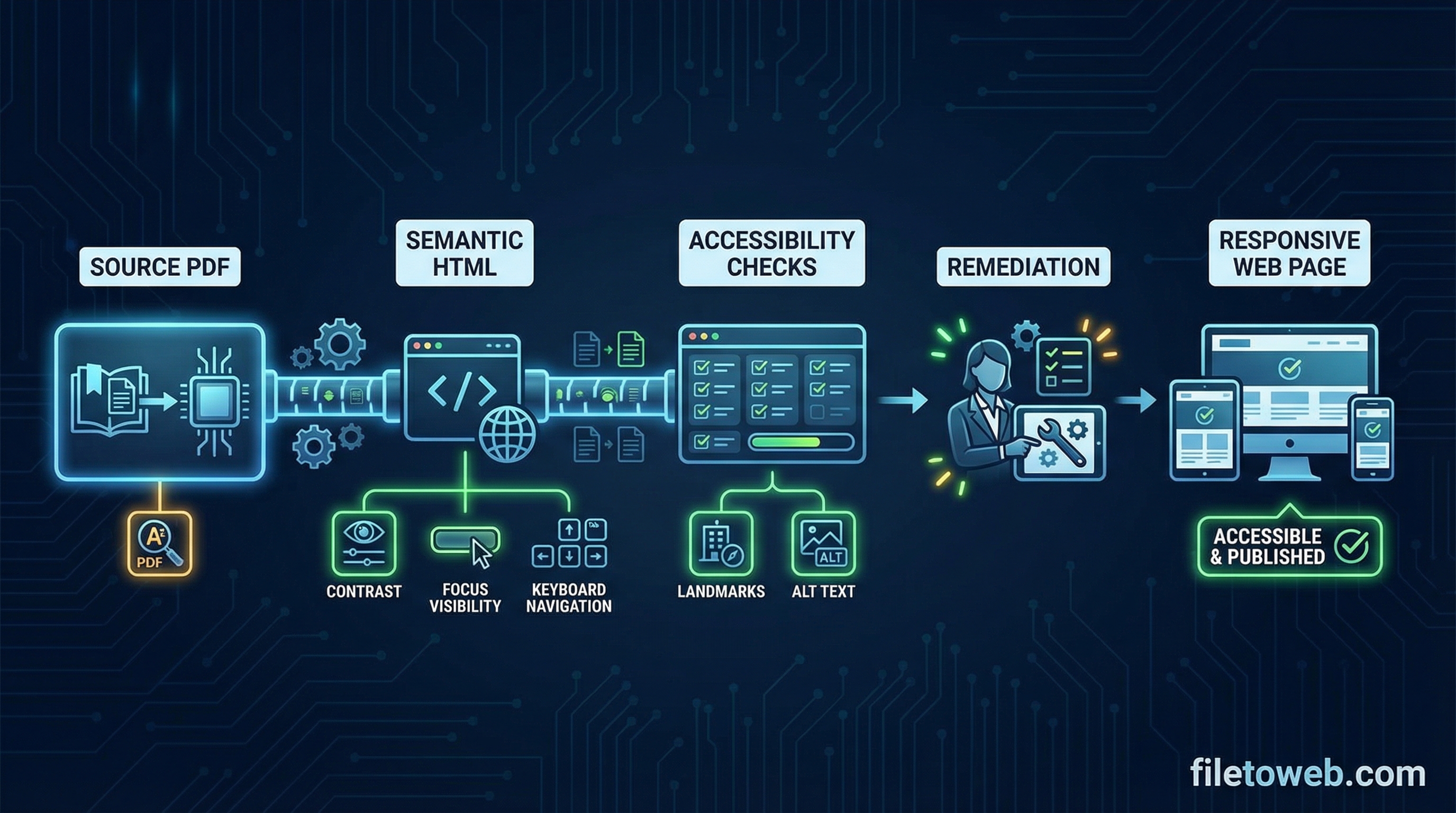
Most teams still publish PDFs as attachments or embeds, but that approach hurts discoverability and usability. If your goal is an ADA-friendly PDF to HTML workflow, you need real semantic HTML pages that search engines can index and users can navigate with keyboard and assistive technology.
ADA + PDF to HTML workflow: what compliance teams actually need
Compliance-focused teams need more than a visual conversion. They need structured web content with:
- semantic headings that reflect document hierarchy
- landmarks that support screen-reader navigation
- meaningful alt text for informative images
- reliable keyboard and screen-reader flow
- mobile-readable layouts that preserve meaning across devices
Step-by-step workflow
Step 1: Upload PDF
Start with the source PDF and capture what "good" looks like before conversion: heading structure, table intent, image purpose, and required metadata.
Step 2: Convert to semantic HTML
Generate web-native HTML, not image slices. This gives you a page that can be indexed, edited, and validated against WCAG criteria.
Step 3: Review heading hierarchy
Confirm a single h1, then logical h2 and h3 sections. Fix skipped levels and ensure headings describe content clearly.
Step 4: Add or repair alt text and labels
Add alt text where images communicate information. Keep decorative images empty (alt="") and ensure form labels and interactive elements are explicit.
Step 5: Fix reading order and landmarks
Check that DOM order matches visual intent. Validate landmark regions like header, nav, main, and footer for predictable screen-reader movement.
Step 6: Validate against WCAG 2.2 AA checklist
Run a practical checklist:
- heading order and landmark usage
- color contrast and focus visibility
- keyboard-only navigation
- link purpose and form labeling
- error messaging and status announcements where applicable
Step 7: Publish and monitor
Publish your page, re-test key templates, and monitor future edits so accessibility quality does not regress over time.
Section 508 + ADA + WCAG 2.2 AA mapping
For most teams, WCAG 2.2 AA acts as the implementation baseline used in both ADA-conscious publishing and Section 508 procurement contexts. Use your converted HTML pages as the execution layer, then document your test evidence per page template.
Important: this is implementation guidance, not legal certification. FileToWeb supports accessibility improvements and helps teams ship structured HTML faster, but compliance determinations still require organizational policy and qualified review.
Common mistakes to avoid
- publishing image-based pages instead of semantic HTML
- missing landmarks that make navigation harder
- skipped heading levels that break document flow
- no alt text policy, resulting in inconsistent outcomes
- assuming a one-time fix instead of ongoing QA
Start with a real workflow
If you want a faster path from PDF to accessible web content, create your first conversion project and apply this checklist in sequence.
- Create an account: Start free
- Read implementation docs: Documentation
- Review plan options: Pricing
FileToWeb helps teams improve accessibility workflows and structure; legal compliance determination should be validated by qualified accessibility/legal professionals.