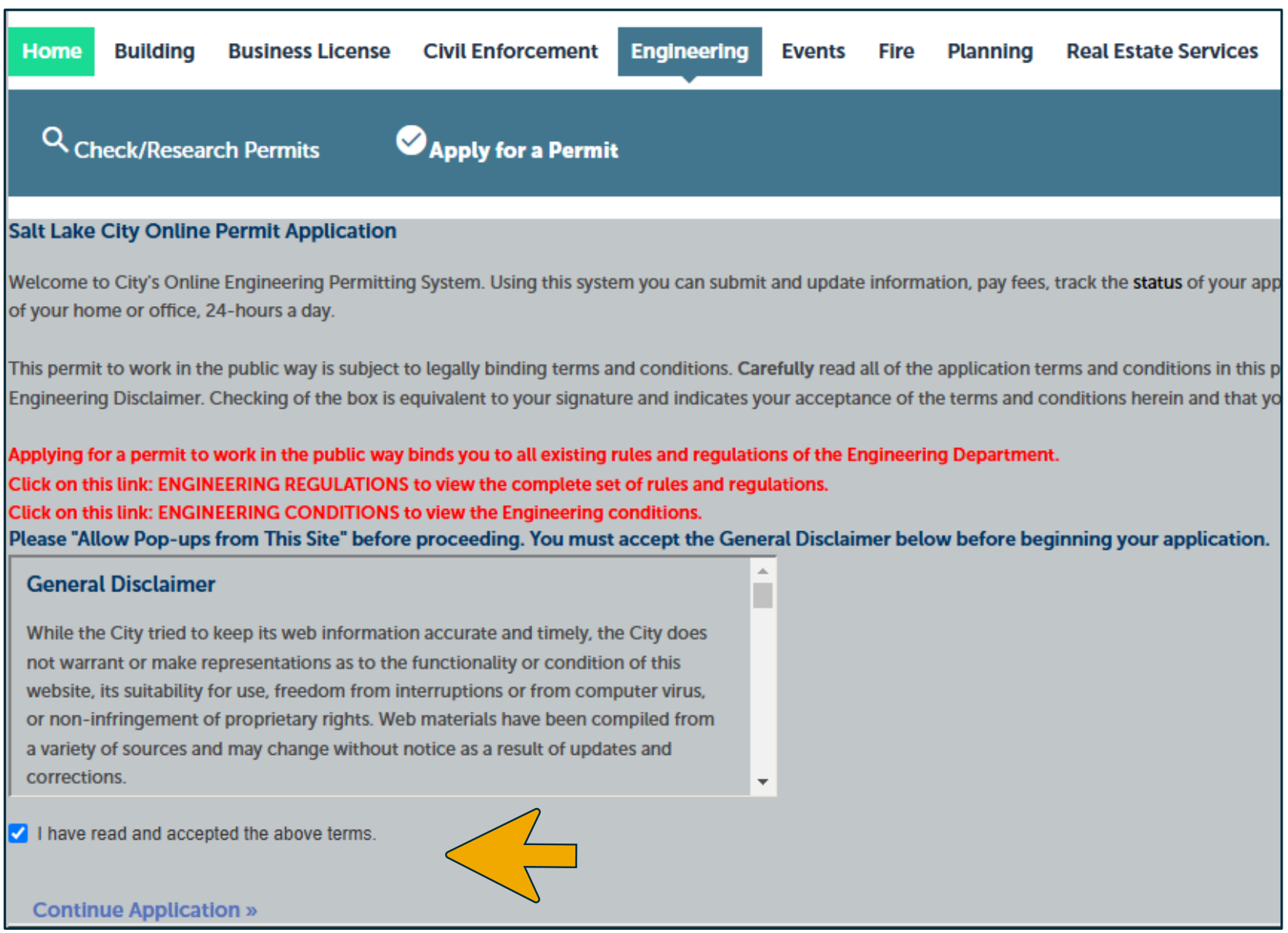
3. Read and agree to terms.
Accessible view
General Disclaimer agreement screen. A disclaimer appears in a scrollable text area.
The screenshot shows a checked checkbox labeled I have read and accepted the above terms.
A yellow arrow points to this checkbox. The Continue Application »
link appears below it.
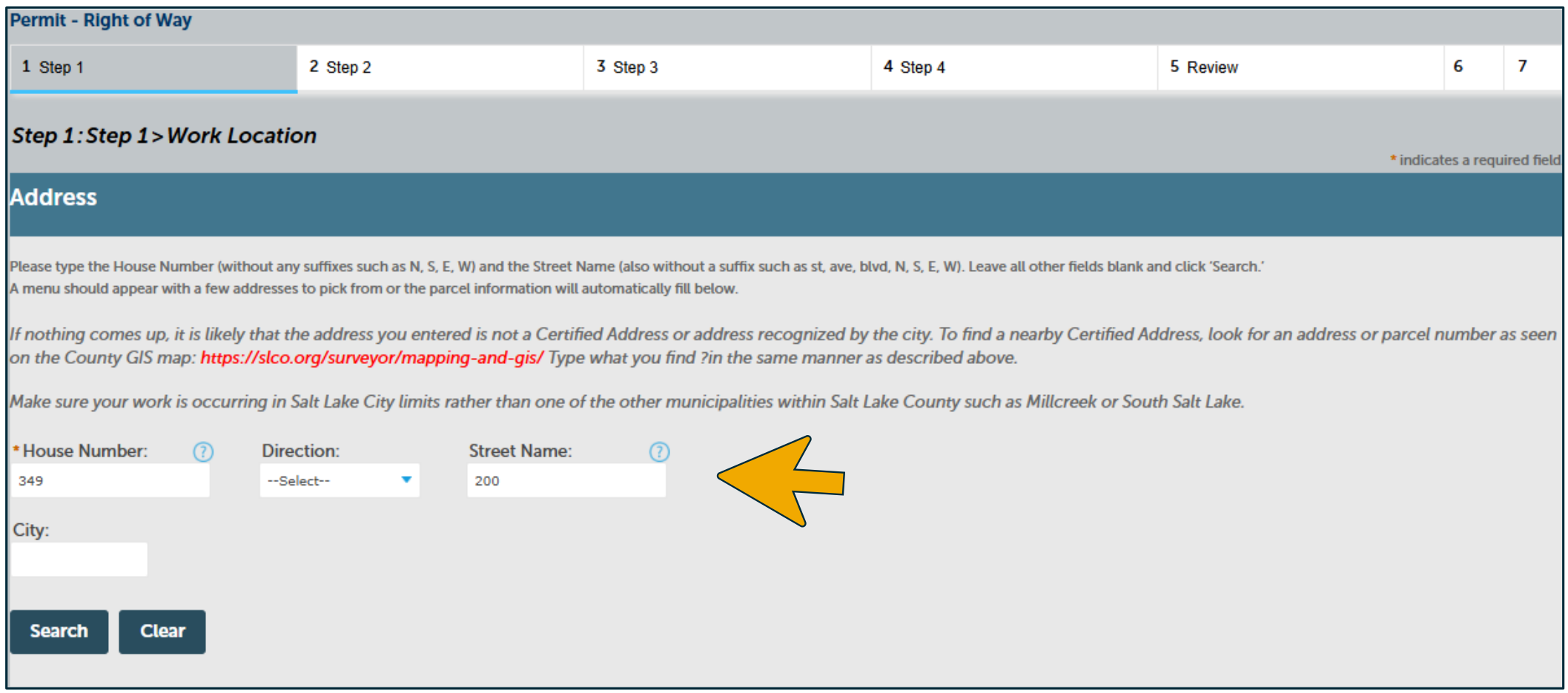
4. Search the work location.
Enter the house number and street name without any suffixes (St, Ave, N, S, E, W). Leave all other fields blank and click Search. A menu should appear with a few addresses to pick from, or the parcel information will automatically fill below. Find a Certified Address and confirm the property is in Salt Lake City.
Accessible view
Step 1: Work Location > Address. The address form contains these fields: House Number with 349
, Direction with --Select--
, Street Name with 200
, and a blank City field.
A left-pointing yellow arrow highlights the Street Name field. The available actions are Search
and Clear
.