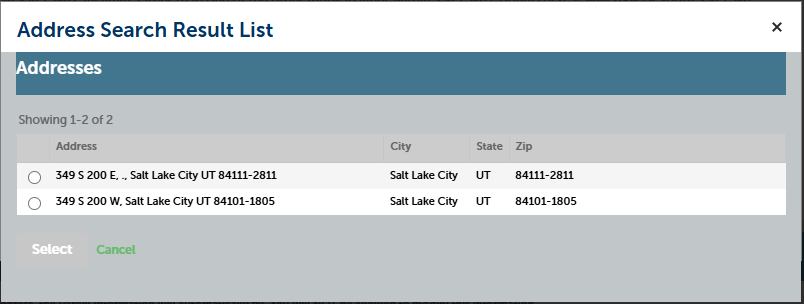
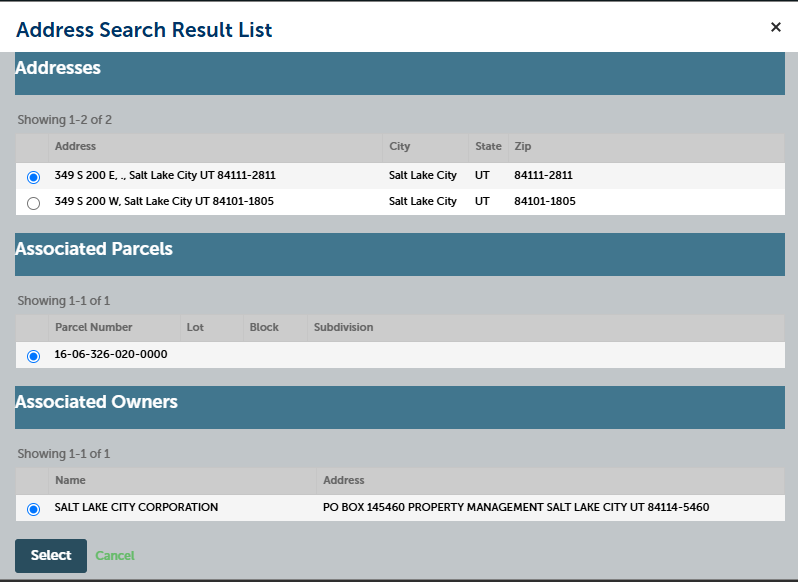
5. Select correct address from pop-up lists.
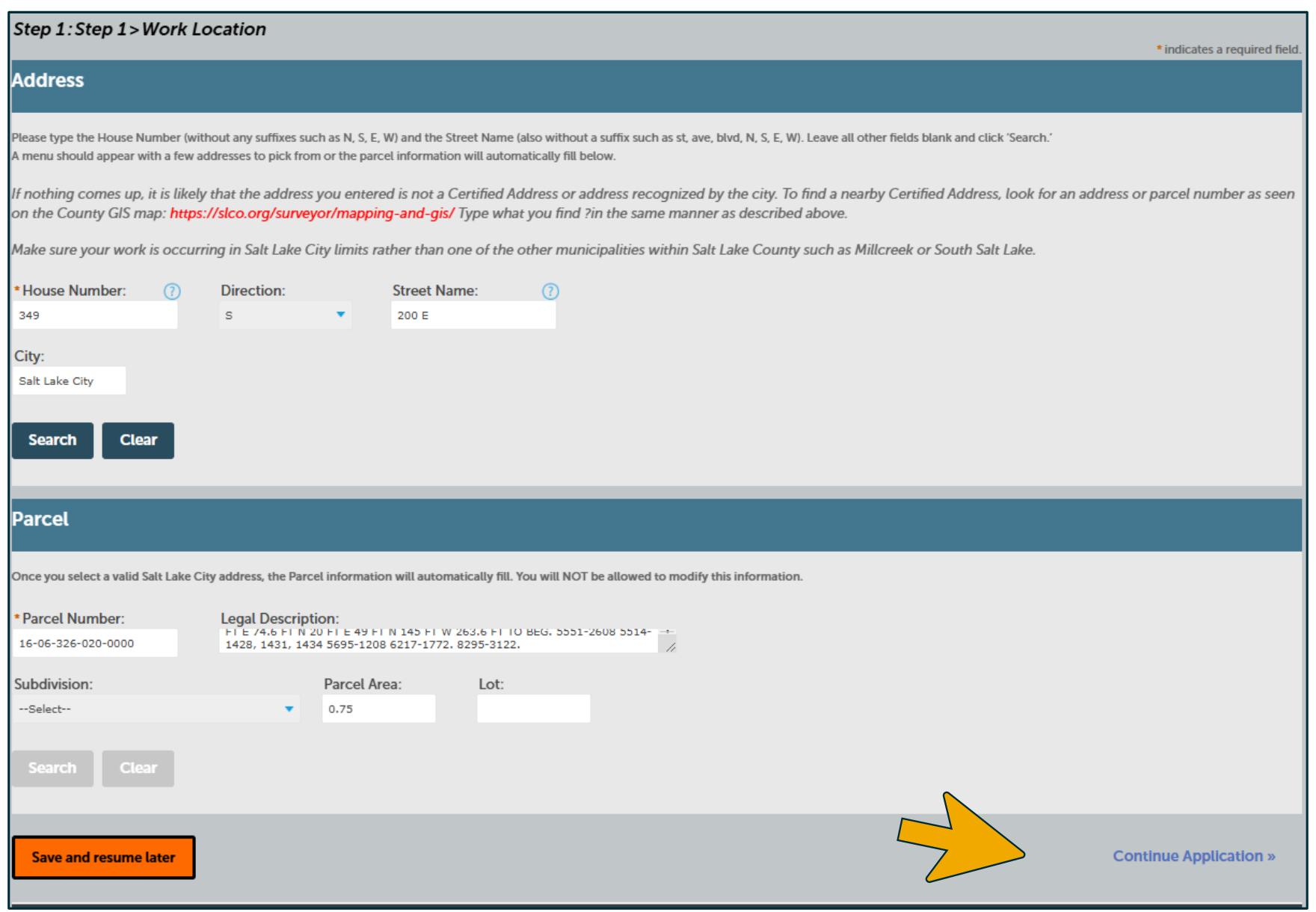
6. The address and parcel information will populate. Save or continue your application.
Accessible view of the instructional screenshots
Step 5, first screenshot: Address Search Result List
The Addresses results show “Showing 1-2 of 2” and two unselected address choices:
- 349 S 200 E, , Salt Lake City UT 84111-2811
- 349 S 200 W, Salt Lake City UT 84101-1805
The dialog has Select and Cancel controls.
Step 5, second screenshot: selected address details
The first address is selected: 349 S 200 E, , Salt Lake City UT 84111-2811. The Addresses section still shows two results. Associated Parcels shows “Showing 1-1 of 1” with parcel number 16-06-326-020-0000 selected; the Lot, Block, and Subdivision columns are present. Associated Owners shows “Showing 1-1 of 1” with SALT LAKE CITY CORPORATION selected and the address PO BOX 145460 PROPERTY MANAGEMENT SALT LAKE CITY UT 84114-5460. Select and Cancel controls appear below.
Step 6: Work Location form
The Work Location form is populated after the address and parcel selection. In Address, the visible values are House Number 349, Direction S, Street Name 200 E, and City Salt Lake City. In Parcel, the visible Parcel Number is 16-06-326-020-0000, Parcel Area is 0.75, and the Lot field is blank; a Legal Description field is also populated and Subdivision displays “--Select--”. Search and Clear controls are shown for the sections. At the bottom are Save and resume later and Continue Application ».