* Find your existing permits to check the status or pay fees.
Home > Advanced Search > Search Records > Engineering
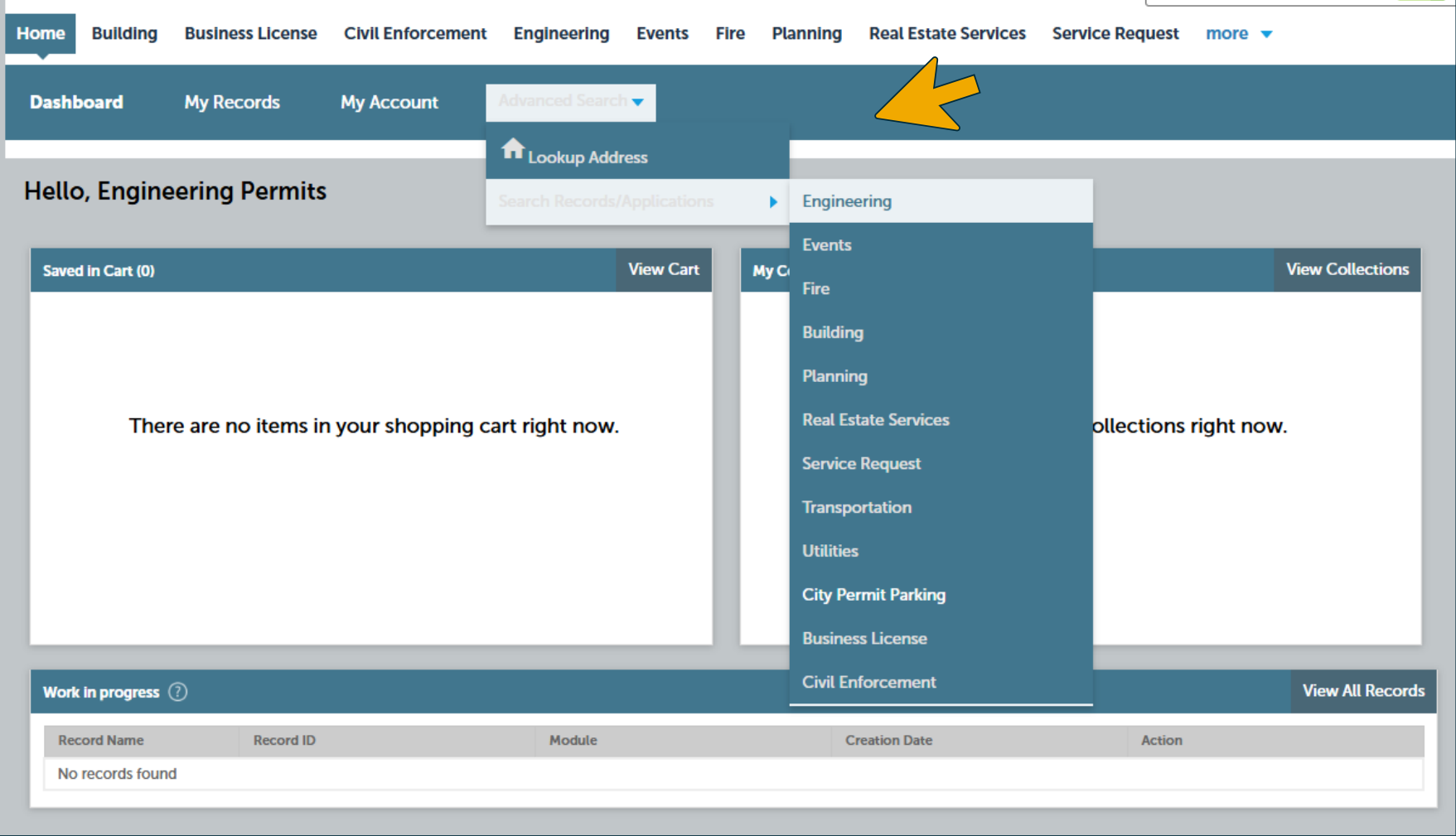
Navigation path shown: Home > Advanced Search > Search Records > Engineering. A yellow arrow highlights Advanced Search, and the open menu shows Engineering as the destination.
Accessible view
The Citizen Access page shows the Advanced Search menu opened from the top navigation. The Search Records/Applications menu leads to Engineering, matching the path Home > Advanced Search > Search Records > Engineering. The page underneath is the Engineering Permits page with a Work in progress section.
Permit Status
In Progress - Permit application has been received and is being review by Engineering. Permit has not been issued.
Denied - Permit application has been denied and is closed.
Revoked - Permit was issued but is now revoked due to inactivity or direction to cancel by the applicant.
Inspection - Permit has been issued and is active.
Under Warranty - The work associated with the permit has passed final inspection and is now under a 3-year warranty. After 3 years, a release inspection will automatically be scheduled by the City Engineering Division.
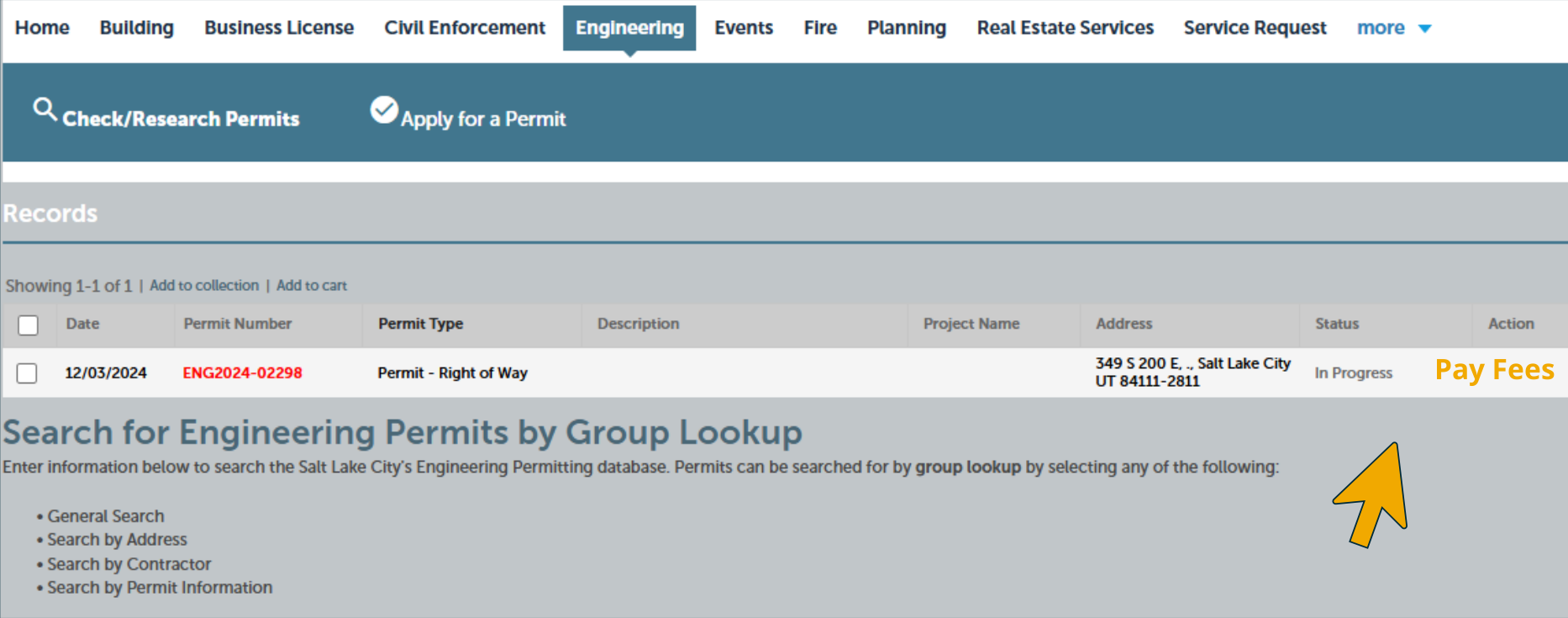
In the permit records table, the permit status appears in the Status column as “In Progress.” The yellow arrow highlights “Pay Fees” in the Action column at the far right.
Accessible view
The Engineering records screen shows one permit row. Read across the row to the Status column for “In Progress,” then to the Action column for the highlighted “Pay Fees” action.