Duchesne County
Remote Access
Download
Instructions
Please Note: The Duchesne County Information Systems Department cannot provide technical support for installation or use of the remote access software. Technical support is only available for connection problems and not for customer’s hardware or software. If you need assistance, we suggest you contact a local vendor.
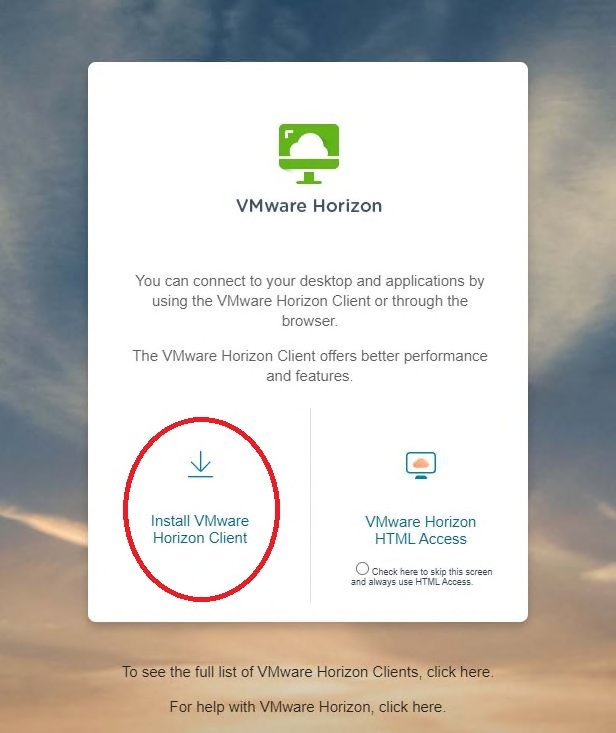
To begin you will need to download the VMware client installer by navigating to https://view.duchesne.utah.gov in your web browser. Once there, your screen should look like the one below. Choose to install the client (cirlced in the picture.) Do not choose the HTML Access portion on the right, as you are not logging into this site, simpy downloading the client.